
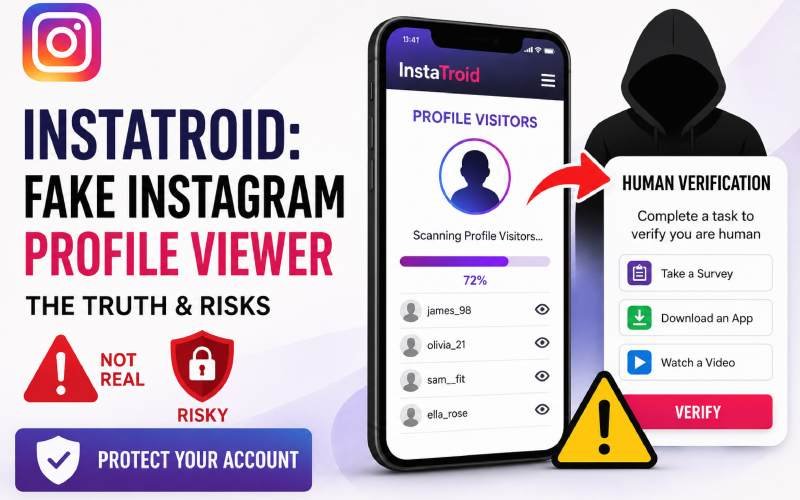
You see a viral video claiming a tool can reveal your secret Instagram profile visitors. Your curiosity peaks, and you want to know who views your content. However, entering your details into unverified third-party platforms often leads to account theft or data exposure instead of real insights. This guide breaks down the technical reality of these platforms so you can keep your personal data secure.
What Promises Does the Tool Make to Users?
Websites operating under the name Instatroid target everyday social media users. They promise to unlock features that the official Instagram app deliberately hides.
The most frequent claims include:
-
Lists of non-follower profile visitors
-
Anonymized viewing options for stories and reels
-
Alerts when someone takes a screenshot of your grid posts
-
Portals to view deleted direct message logs
These platforms present an interface that looks like a legitimate analytics dashboard. They often show animated loading bars to make it appear as though a live scan is happening, similar to the hardware installation screens detailed in our hssgamestick complete setup guide manual. The system then requires you to complete a task to unlock the final report.
The Technical Reality of Third-Party Instagram Access
To understand why these claims are false, you must look at how data moves out of social media platforms. External applications can only read information that Meta explicitly shares through its official programming interface.
According to official Meta Graph API documentation, privacy boundaries are strictly enforced. Meta does not track profile views in a way that links specific usernames to your account history. Therefore, it is impossible for an outside website to collect this information.
In practice, a common mistake is believing a tool works because it correctly displays your public follower count. Anyone can view public counts without special access. The tool uses public data to look real, but it generates the hidden list randomly. The data you want to see does not exist outside of Meta internal servers.
How the Verification Loop Generates Revenue From Your Data
When you click the button to reveal your analytics, the website redirects you to a human verification screen. This page states you must complete a quick task to prove you are not a robot.
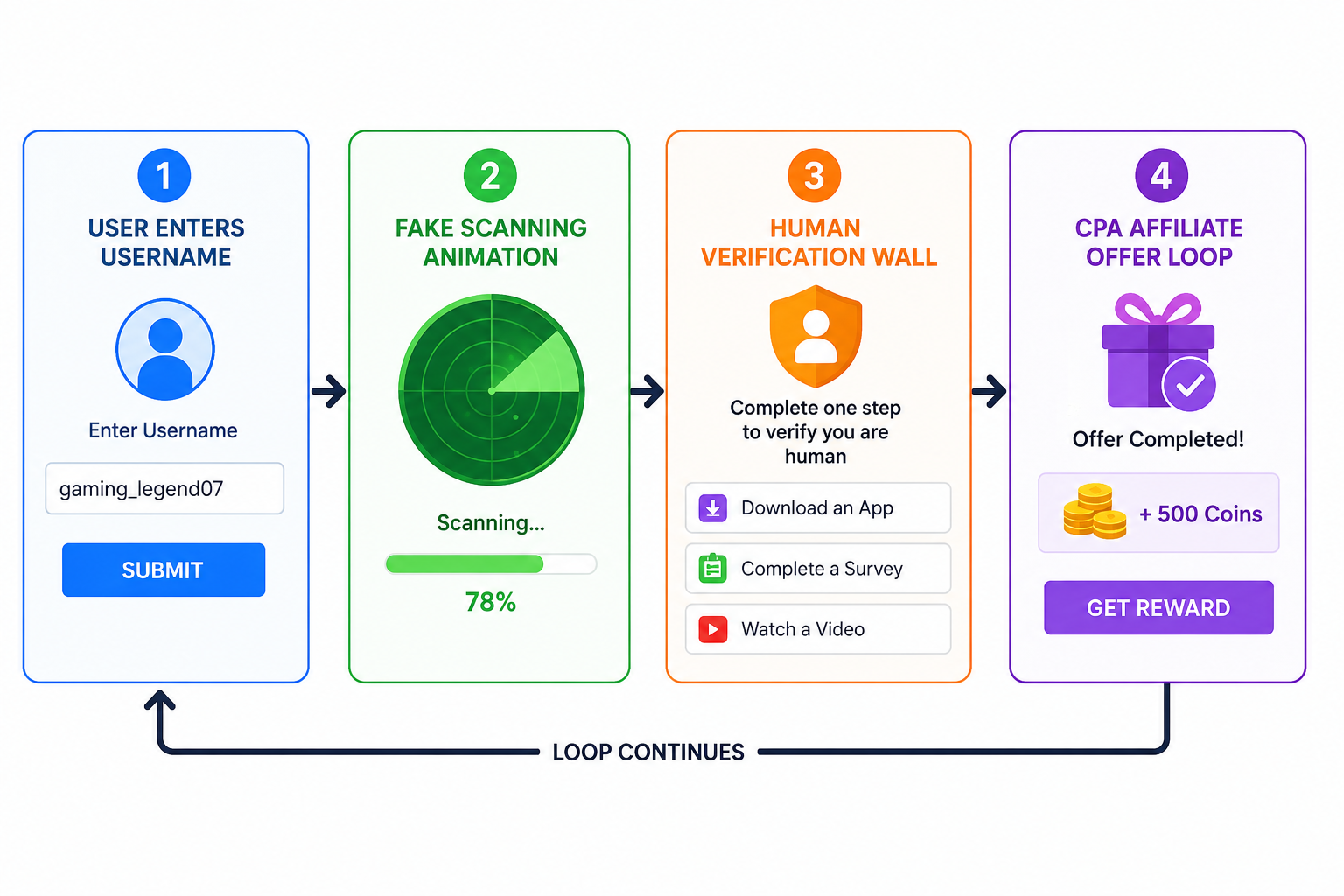
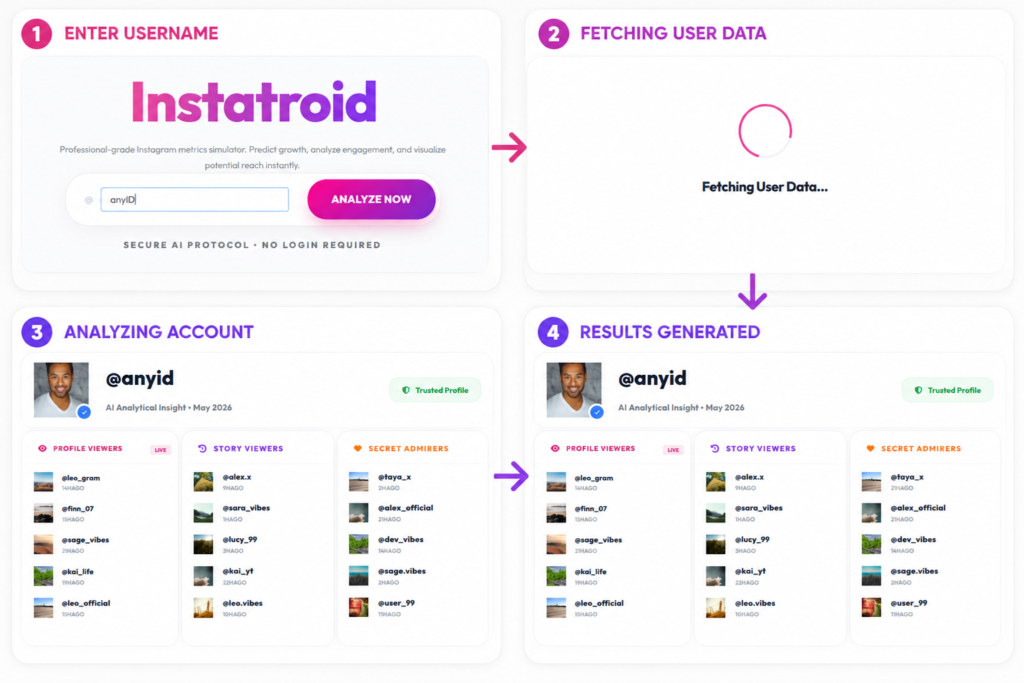
This gate is a monetization funnel known as a Cost Per Action network. The creators of the site earn a commission every time a visitor completes a redirect task.
| Task Type | What You Give | What the Operator Earns | Real Risk to You |
| Market Research Survey | Full name, email, phone number | High affiliate payout | Targeted phishing and spam calls |
| Sponsored APK Download | Device storage permissions | Pay-per-install fee | Adware or browser cookie trackers |
| Premium SMS Signup | Cell phone number billing | Ongoing subscription cut | Hidden charges on your monthly utility bill |
You can complete five surveys in a row, but the dashboard will never display real analytics. The system simply loops you to another offer to maximize profits.
The Instatroid Risk Assessment Framework
You can protect your digital footprint by using a simple framework before testing any new online tool. If a service triggers even one warning sign listed below, close the browser tab immediately.
-
The Feature Mismatch Check: Does the tool offer metrics that the official app does not track? Instagram does not send notification flags for grid screenshots, so no outside tool can show them.
-
The Access Request Test: Does the website request an Android package download outside of the official Google Play Store? Third-party stores lack rigorous security screening.
-
The Intermediary Gate Check: Does the platform force you to complete surveys or watch unrelated ads before showing you results? Genuine analytics systems charge transparent fees rather than using hidden loops.
Concrete Steps to Protect Your Social Media Account
If you previously entered information into a questionable analytics website, you must take action to secure your identity. Security threats change quickly, but fast mitigation prevents permanent account loss.
First, open your mobile application and navigate to the security settings menu. Revoke access for all unrecognized authorized applications linked to your profile. Second, update your password immediately to clear any active sessions that malicious software might hold open.
Make sure you activate two-factor authentication using an app like Google Authenticator rather than relying solely on text messages. According to consumer safety alerts from the Federal Trade Commission, text-message routing remains vulnerable to interception by sophisticated phishing rings. Turning on app-based authentication blocks unauthorized login attempts even if a malicious platform acquires your primary password.